> ## Documentation Index
> Fetch the complete documentation index at: https://docs.li.fi/llms.txt
> Use this file to discover all available pages before exploring further.
# Compatibility with Next.js, Remix, Nuxt, etc.
> Integrate the widget with your Next.js, Remix, Nuxt, or other framework application
## Next.js
**LI.FI Widget** is fully compatible with Next.js applications and requires minimal configuration for seamless integration.
Due to the nature of server-side rendering (SSR) in Next.js and how different wallet libraries manage their connections to wallet extensions, the LI.FI Widget needs to be specifically rendered on the client side. To achieve this, make use of the `'use client'` directive, which ensures that the widget component is only rendered in the client-side environment.
Please take a look at our complete example in the widget repository [here](https://github.com/lifinance/widget/tree/main/examples).
If you're using Next.js with the App Router, the following example shows how to add the widget to a page:
```typescript Widget.tsx theme={"system"}
'use client';
import type { WidgetConfig } from '@lifi/widget';
import { LiFiWidget, WidgetSkeleton } from '@lifi/widget';
import { ClientOnly } from './ClientOnly';
export function Widget() {
const config = {
appearance: 'light',
theme: {
container: {
boxShadow: '0px 8px 32px rgba(0, 0, 0, 0.08)',
borderRadius: '16px',
},
},
} as Partial;
return (
}>
);
}
```
```typescript ClientOnly.tsx theme={"system"}
import { useSyncExternalStore, type PropsWithChildren } from 'react';
function subscribe() {
return () => {};
}
/**
* Return a boolean indicating if the JS has been hydrated already.
* When doing Server-Side Rendering, the result will always be false.
* When doing Client-Side Rendering, the result will always be false on the
* first render and true from then on. Even if a new component renders it will
* always start with true.
*/
export function useHydrated() {
return useSyncExternalStore(
subscribe,
() => true,
() => false,
);
}
interface ClientOnlyProps extends PropsWithChildren {
fallback?: React.ReactNode;
}
/**
* Render the children only after the JS has loaded client-side. Use an optional
* fallback component if the JS is not yet loaded.
*/
export function ClientOnly({ children, fallback = null }: ClientOnlyProps) {
const hydrated = useHydrated();
return hydrated ? children : fallback;
}
```
```typescript page.tsx theme={"system"}
import { Widget } from './components/Widget';
export default function Home() {
return (
);
}
```
If you are using Next.js with the Pages Router, you need to import the LI.FI Widget dynamically:
```tsx theme={"system"}
import dynamic from 'next/dynamic';
const LiFiWidget = dynamic(() => import('@lifi/widget').then(mod => mod.LiFiWidget), {
ssr: false,
loading: () => Loading LI.FI Widget...
});
export function Widget() {
const config = {
appearance: 'light',
theme: {
container: {
boxShadow: '0px 8px 32px rgba(0, 0, 0, 0.08)',
borderRadius: '16px',
},
},
} as Partial;
return (
);
}
```
## Widget Skeleton
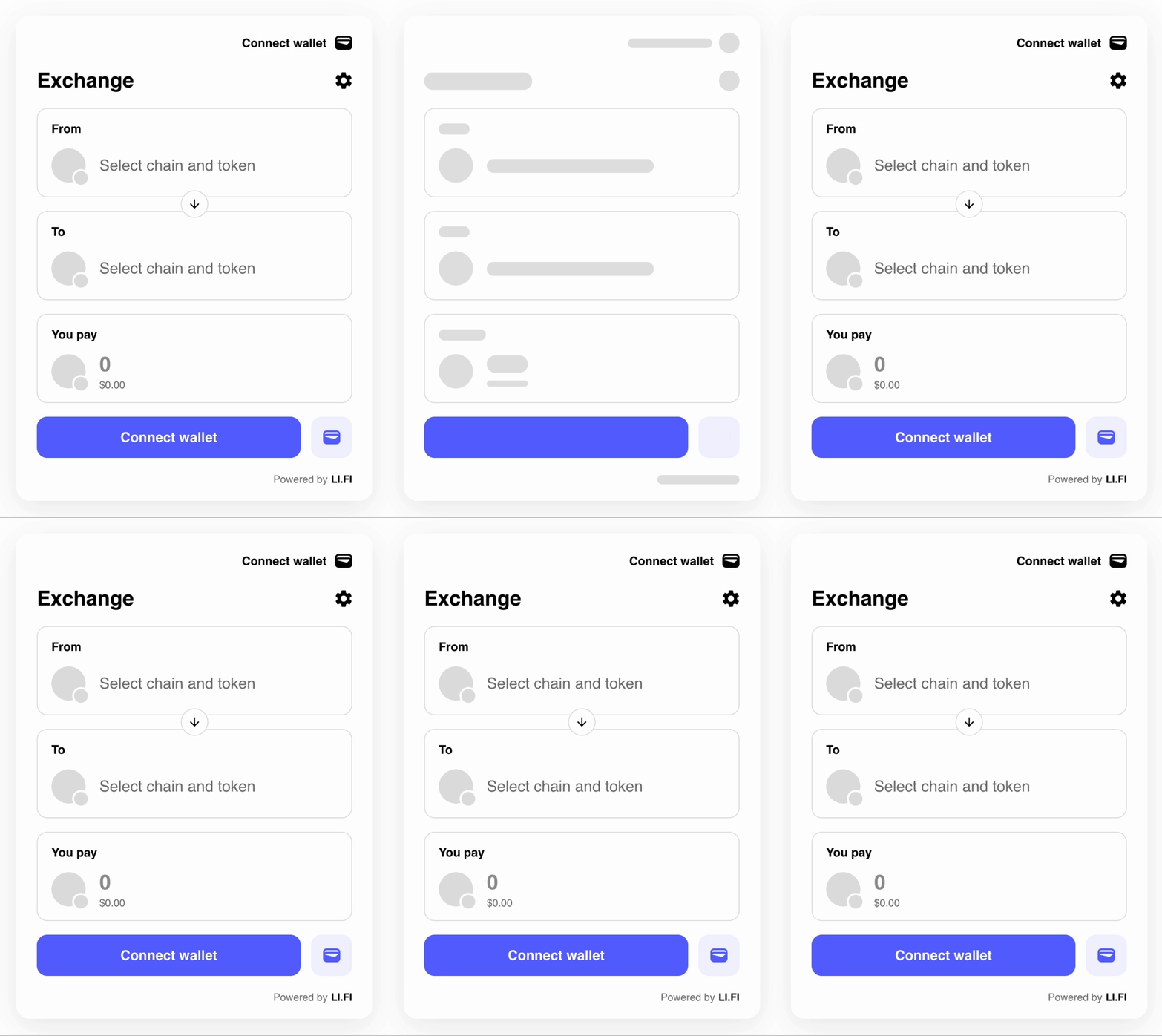
For user convenience, we provide the `WidgetSkeleton` component that can be used as a fallback while the main widget component is being loaded.
The `WidgetSkeleton` component is currently only tested within the Next.js environment and might not work with other SSR frameworks.
 ## Internal Routing
Widget v4 uses TanStack Router internally instead of React Router. This means:
* **No catch-all route needed**: If you previously had to configure a catch-all route (e.g., `/swap/*`) for the widget when using React Router, this is no longer necessary.
* **No conflicts**: The widget's internal router is completely isolated and does not interfere with your app's router, regardless of which routing library you use.
## Other Frameworks
We provide complete examples for various frameworks:
* [Vite (React)](https://github.com/lifinance/widget/tree/main/examples/vite) - Standard React setup, no special configuration needed
* [Remix](https://github.com/lifinance/widget/tree/main/examples/remix) - Use `ClientOnly` from `remix-utils`
* [React Router 7](https://github.com/lifinance/widget/tree/main/examples/react-router-7) - Similar pattern with `ClientOnly`
* [TanStack Router](https://github.com/lifinance/widget/tree/main/examples/tanstack-router) - Works alongside widget's internal router
* [Vue](https://github.com/lifinance/widget/tree/main/examples/vue) - Use [Veaury](https://github.com/devilwjp/veaury) to wrap the React component
* [Nuxt.js](https://github.com/lifinance/widget/tree/main/examples/nuxt) - Veaury with Nuxt's `ClientOnly`
* [Svelte](https://github.com/lifinance/widget/tree/main/examples/svelte) - React adapter component
## Wallet Provider Integrations
We also provide examples for integrating the widget with popular wallet connection libraries:
* [RainbowKit](https://github.com/lifinance/widget/tree/main/examples/rainbowkit) - Popular wallet connection library for Ethereum
* [ConnectKit](https://github.com/lifinance/widget/tree/main/examples/connectkit) - Family's wallet connection library
* [Reown AppKit](https://github.com/lifinance/widget/tree/main/examples/reown) - Reown's (formerly WalletConnect) AppKit
* [Privy](https://github.com/lifinance/widget/tree/main/examples/privy) - Privy embedded wallet integration
* [Privy with Ethers](https://github.com/lifinance/widget/tree/main/examples/privy-ethers) - Privy with Ethers.js
* [Dynamic](https://github.com/lifinance/widget/tree/main/examples/dynamic) - Dynamic wallet integration
## Other Examples
* [Zustand Widget Config](https://github.com/lifinance/widget/tree/main/examples/zustand-widget-config) - State management with Zustand
* [Deposit Flow](https://github.com/lifinance/widget/tree/main/examples/deposit-flow) - Custom deposit flow implementation
We are continuously working on improving our support for more frameworks. Check out all available examples in the [examples directory](https://github.com/lifinance/widget/tree/main/examples).
## Internal Routing
Widget v4 uses TanStack Router internally instead of React Router. This means:
* **No catch-all route needed**: If you previously had to configure a catch-all route (e.g., `/swap/*`) for the widget when using React Router, this is no longer necessary.
* **No conflicts**: The widget's internal router is completely isolated and does not interfere with your app's router, regardless of which routing library you use.
## Other Frameworks
We provide complete examples for various frameworks:
* [Vite (React)](https://github.com/lifinance/widget/tree/main/examples/vite) - Standard React setup, no special configuration needed
* [Remix](https://github.com/lifinance/widget/tree/main/examples/remix) - Use `ClientOnly` from `remix-utils`
* [React Router 7](https://github.com/lifinance/widget/tree/main/examples/react-router-7) - Similar pattern with `ClientOnly`
* [TanStack Router](https://github.com/lifinance/widget/tree/main/examples/tanstack-router) - Works alongside widget's internal router
* [Vue](https://github.com/lifinance/widget/tree/main/examples/vue) - Use [Veaury](https://github.com/devilwjp/veaury) to wrap the React component
* [Nuxt.js](https://github.com/lifinance/widget/tree/main/examples/nuxt) - Veaury with Nuxt's `ClientOnly`
* [Svelte](https://github.com/lifinance/widget/tree/main/examples/svelte) - React adapter component
## Wallet Provider Integrations
We also provide examples for integrating the widget with popular wallet connection libraries:
* [RainbowKit](https://github.com/lifinance/widget/tree/main/examples/rainbowkit) - Popular wallet connection library for Ethereum
* [ConnectKit](https://github.com/lifinance/widget/tree/main/examples/connectkit) - Family's wallet connection library
* [Reown AppKit](https://github.com/lifinance/widget/tree/main/examples/reown) - Reown's (formerly WalletConnect) AppKit
* [Privy](https://github.com/lifinance/widget/tree/main/examples/privy) - Privy embedded wallet integration
* [Privy with Ethers](https://github.com/lifinance/widget/tree/main/examples/privy-ethers) - Privy with Ethers.js
* [Dynamic](https://github.com/lifinance/widget/tree/main/examples/dynamic) - Dynamic wallet integration
## Other Examples
* [Zustand Widget Config](https://github.com/lifinance/widget/tree/main/examples/zustand-widget-config) - State management with Zustand
* [Deposit Flow](https://github.com/lifinance/widget/tree/main/examples/deposit-flow) - Custom deposit flow implementation
We are continuously working on improving our support for more frameworks. Check out all available examples in the [examples directory](https://github.com/lifinance/widget/tree/main/examples).