> ## Documentation Index
> Fetch the complete documentation index at: https://docs.li.fi/llms.txt
> Use this file to discover all available pages before exploring further.
# Monetize Widget
> Learn how to configure fees and monetize your LI.FI Widget integration.
For more details about how fees work, fee collection on different chains, and
setting up fee wallets, see the [Monetizing the
integration](/introduction/integrating-lifi/monetizing-integration) guide.
Fees are configured via the `feeConfig` option, which supports both static and dynamic fee calculation.
### Fee configuration
```typescript theme={"system"}
import { LiFiWidget, WidgetConfig, WidgetFeeConfig } from '@lifi/widget';
// Basic advanced configuration
const basicFeeConfig: WidgetFeeConfig = {
name: "DApp fee",
logoURI: "https://yourdapp.com/logo.png",
fee: 0.01, // 1% fee
showFeePercentage: true,
showFeeTooltip: true
};
// Dynamic fee calculation
const dynamicFeeConfig: WidgetFeeConfig = {
name: "DApp fee",
logoURI: "https://yourdapp.com/logo.png",
showFeePercentage: true,
showFeeTooltip: true,
calculateFee: async (params) => {
// params: { fromChain, toChain, fromToken, toToken,
// fromAddress, toAddress, fromAmount, toAmount, slippage }
const { fromChain, toChain, fromToken, toToken, fromAmount } = params;
// Example: Different fees for same-chain vs cross-chain
if (fromChain.id === toChain.id) {
return 0.01; // 1% for same-chain swaps
}
// Example: Volume-based fee structure (fromAmount is bigint)
if (fromAmount && fromAmount > 1000000000000000000n) {
return 0.015; // 1.5% for large volumes
}
return 0.03; // Default 3% fee
}
};
const widgetConfig: WidgetConfig = {
feeConfig: basicFeeConfig, // or dynamicFeeConfig
// Other options...
};
export const WidgetPage = () => {
return (
);
};
```
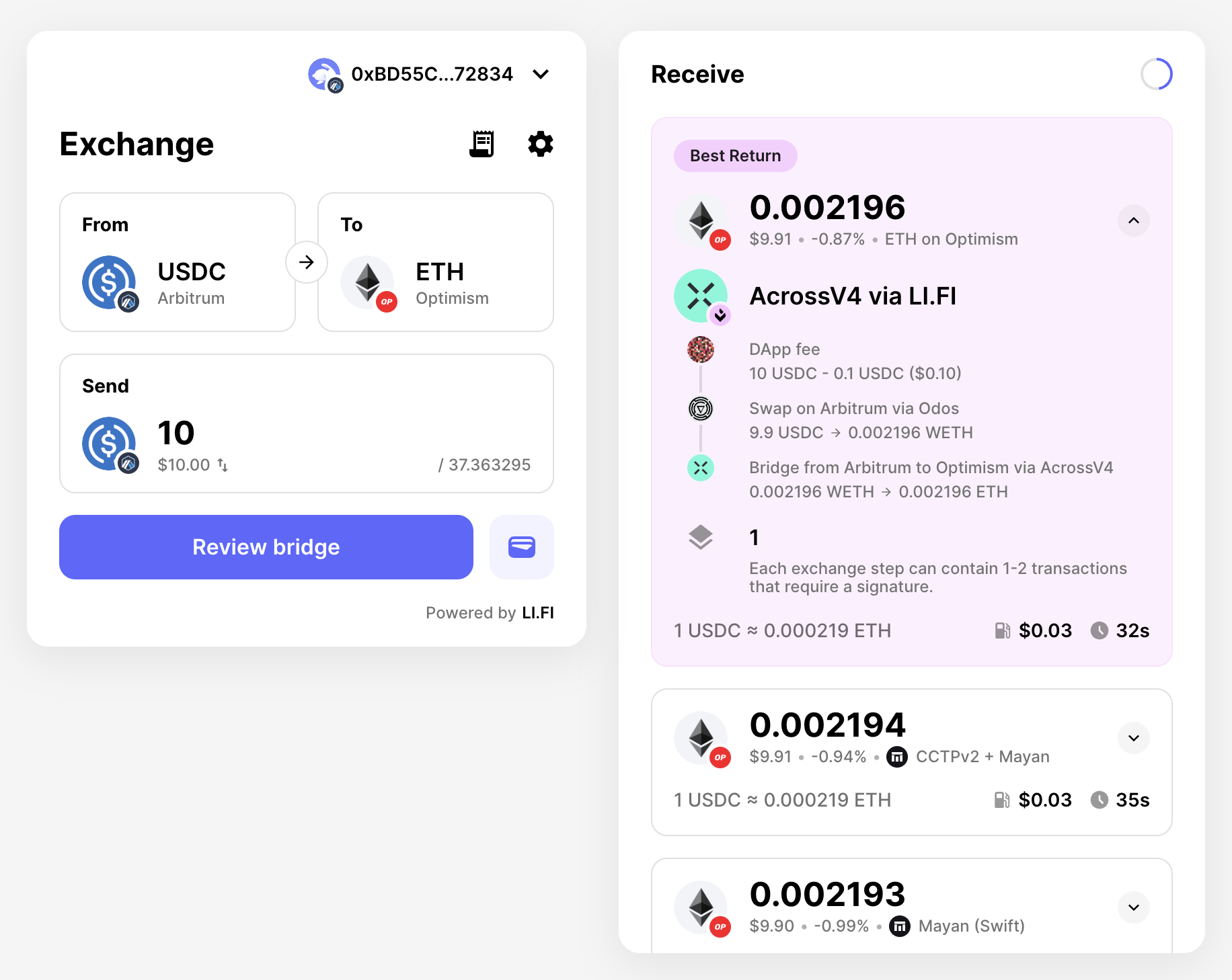 ### WidgetFeeConfig interface
The `WidgetFeeConfig` interface provides the following options:
* **`name`** (optional): Display name for your integration shown in fee details
* **`logoURI`** (optional): URL to your logo displayed alongside fee information
* **`fee`** (optional): Fixed fee percentage (e.g., 0.03 for 3%)
* **`showFeePercentage`** (default: false): Whether to display the fee percentage in the UI
* **`showFeeTooltip`** (default: false): Whether to show a tooltip with fee details (requires `name` or `feeTooltipComponent`)
* **`feeTooltipComponent`** (optional): Custom React component for the fee tooltip
* **`calculateFee`** (optional): Function for dynamic fee calculation based on transaction parameters
Only use either `fee` or `calculateFee` - not both. The `calculateFee`
function allows for dynamic fee calculation based on factors like token pairs,
transaction amounts, user tiers, or any other custom logic.
### WidgetFeeConfig interface
The `WidgetFeeConfig` interface provides the following options:
* **`name`** (optional): Display name for your integration shown in fee details
* **`logoURI`** (optional): URL to your logo displayed alongside fee information
* **`fee`** (optional): Fixed fee percentage (e.g., 0.03 for 3%)
* **`showFeePercentage`** (default: false): Whether to display the fee percentage in the UI
* **`showFeeTooltip`** (default: false): Whether to show a tooltip with fee details (requires `name` or `feeTooltipComponent`)
* **`feeTooltipComponent`** (optional): Custom React component for the fee tooltip
* **`calculateFee`** (optional): Function for dynamic fee calculation based on transaction parameters
Only use either `fee` or `calculateFee` - not both. The `calculateFee`
function allows for dynamic fee calculation based on factors like token pairs,
transaction amounts, user tiers, or any other custom logic.