

For more details about how fees work, fee collection on different chains, and setting up fee wallets, see the Monetizing the integration guide.
Fees are configured via the feeConfig option, which supports both static and dynamic fee calculation.

Fee configuration
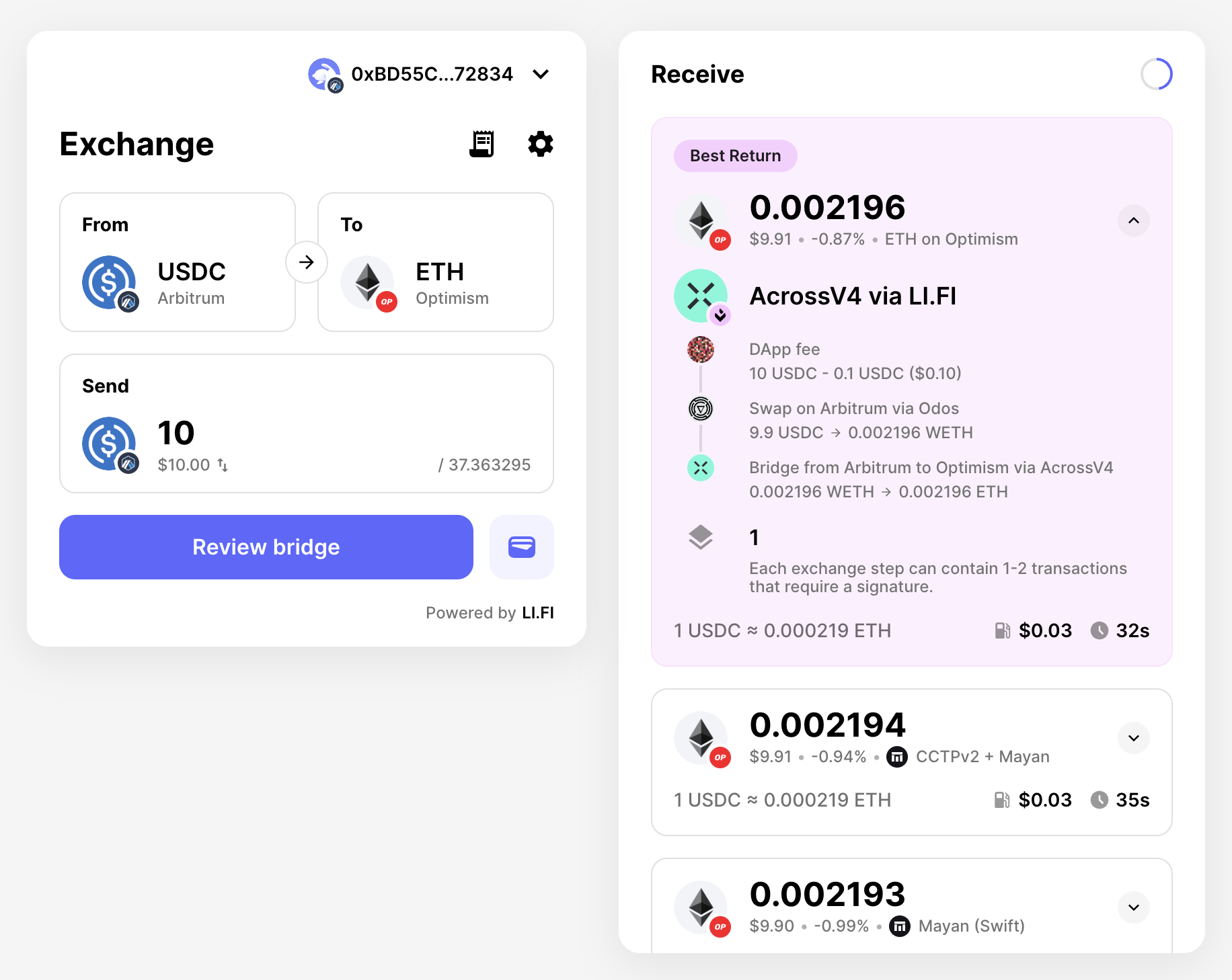
import { LiFiWidget, WidgetConfig, WidgetFeeConfig } from '@lifi/widget';

// Basic advanced configuration
const basicFeeConfig: WidgetFeeConfig = {
  name: "DApp fee",
  logoURI: "https://yourdapp.com/logo.png",
  fee: 0.01, // 1% fee
  showFeePercentage: true,
  showFeeTooltip: true
};

// Dynamic fee calculation
const dynamicFeeConfig: WidgetFeeConfig = {
  name: "DApp fee",
  logoURI: "https://yourdapp.com/logo.png",
  showFeePercentage: true,
  showFeeTooltip: true,
  calculateFee: async (params) => {
    // params: { fromChain, toChain, fromToken, toToken,
    //           fromAddress, toAddress, fromAmount, toAmount, slippage }
    const { fromChain, toChain, fromToken, toToken, fromAmount } = params;

    // Example: Different fees for same-chain vs cross-chain
    if (fromChain.id === toChain.id) {
      return 0.01; // 1% for same-chain swaps
    }

    // Example: Volume-based fee structure (fromAmount is bigint)
    if (fromAmount && fromAmount > 1000000000000000000n) {
      return 0.015; // 1.5% for large volumes
    }

    return 0.03; // Default 3% fee
  }
};

const widgetConfig: WidgetConfig = {
  feeConfig: basicFeeConfig, // or dynamicFeeConfig
  // Other options...
};

export const WidgetPage = () => {
  return (
    <LiFiWidget integrator="fee-demo" config={widgetConfig} />
  );
};

WidgetFeeConfig interface

The WidgetFeeConfig interface provides the following options:
  • name (optional): Display name for your integration shown in fee details
  • logoURI (optional): URL to your logo displayed alongside fee information
  • fee (optional): Fixed fee percentage (e.g., 0.03 for 3%)
  • showFeePercentage (default: false): Whether to display the fee percentage in the UI
  • showFeeTooltip (default: false): Whether to show a tooltip with fee details (requires name or feeTooltipComponent)
  • feeTooltipComponent (optional): Custom React component for the fee tooltip
  • calculateFee (optional): Function for dynamic fee calculation based on transaction parameters
Only use either fee or calculateFee - not both. The calculateFee function allows for dynamic fee calculation based on factors like token pairs, transaction amounts, user tiers, or any other custom logic.